Creating and Publishing Your Own Recipe Book with KDP Interior Templates
Introduction to KDP and Recipe Books
Welcome to the world of self-publishing! If you're passionate about cooking and want to share your recipes with the world, creating a recipe book is a fantastic way to do so. Amazon's Kindle Direct Publishing (KDP) platform offers a user-friendly solution for authors to publish and sell their books. In this article, we'll explore how to use a KDP Interior template specifically designed for recipe books to make your publishing journey as smooth as possible.
Understanding KDP and Its Benefits
Kindle Direct Publishing (KDP) is a service provided by Amazon that allows authors to self-publish and sell their books in both digital and print formats. The key benefits of using KDP include:
- No upfront costs: You don't need to pay anything to publish your book.
- Global reach: Your book can be sold on Amazon, reaching millions of potential readers worldwide.
- Royalties: You earn up to 70% in royalties on each sale.
- Flexibility: You can update and republish your book at any time.
Why Use a KDP Interior Template for Your Recipe Book?
Using a KDP Interior template for your recipe book offers several advantages:
- Professional Design: The templates are professionally designed to ensure your book looks polished and appealing.
- Easy Customization: You can easily add your own content, images, and personal touches.
- Print-Ready: The templates are pre-formatted to meet KDP's printing standards, saving you time and effort.
- Consistency: The templates help maintain a consistent and professional look throughout your book.
Specifications of the KDP Interior Template
The KDP Interior template for recipe books comes with the following specifications:
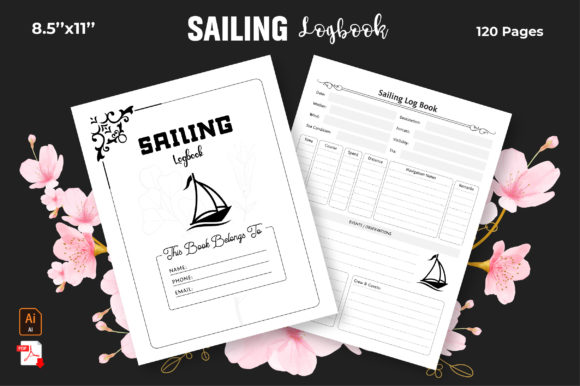
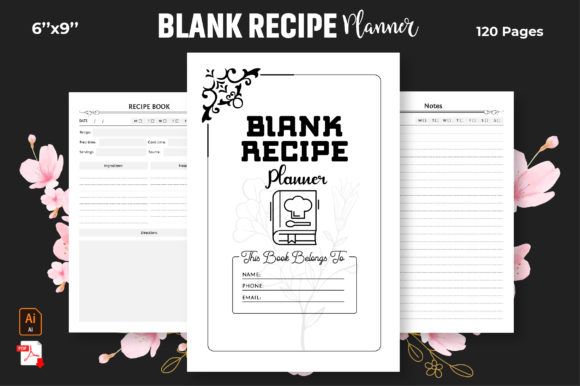
- Dimensions: 6" x 9" inches, a standard size for most recipe books.
- Pages: 120 pages, providing ample space for your recipes and additional content.
- File Formats: JPEG, PDF, and editable Adobe Illustrator files, allowing for easy customization and editing.
- Bleed: Properly set bleed margins to ensure your book prints correctly without any white edges.
Step 1: Download and Unzip the Template
First, download the KDP Interior template from the provided link. Once downloaded, unzip the file to access the various formats and files.
Step 2: Open the Template in Adobe Illustrator
If you have Adobe Illustrator, open the editable AI file. This will allow you to customize the design elements, such as fonts, colors, and layout. If you don't have Adobe Illustrator, you can still use the PDF or JPEG files for basic editing.
Step 3: Add Your Content
Start adding your recipes, images, and other content to the template. Make sure to follow the layout and design guidelines to maintain a professional appearance. You can also add additional sections such as an introduction, table of contents, and index to make your book more user-friendly.
Step 4: Review and Finalize
Carefully review your book to ensure all the content is correct and the design is consistent. Make any necessary adjustments before finalizing the document.
Step 5: Export and Upload to KDP
Export your final document in the required format (usually PDF). Then, log in to your KDP account and upload your book. Follow the steps to complete the publishing process, including setting the price, selecting categories, and writing a compelling book description.
Tips for Success
To make your recipe book a success, consider the following tips:
- High-Quality Images: Include clear, high-resolution images of your recipes to make them more appealing.
- Clear Instructions: Write detailed and easy-to-follow instructions for each recipe.
- Engaging Introduction: Start with an engaging introduction that shares your passion for cooking and the inspiration behind your recipes.
- Promotion: Promote your book through social media, food blogs, and other channels to reach a wider audience.
Conclusion
Creating and publishing your own recipe book with a KDP Interior template is a rewarding and straightforward process. By following the steps outlined in this article, you can produce a professional and visually appealing book that showcases your culinary skills. Don't forget to leave your valuable feedback and follow us for daily new designs. Happy publishing!